As AI is rapidly evolving, writers are getting dependent on AI tools. But writing from AI is not publish-ready content. The writing is faster but not better.
You can create multiple blogs and social media posts from an AI tool like chatgpt but when you read them back. Something is missing here.
The sentences are technically correct, but it feels flat and repetitive. There is no human personality, experience reflected in words, and human sounding tone of sentence.
Readers notice this. Search Engines also don't consider it as authentic content. This is a huge problem for bloggers and marketers to influence their audience and have a better SEO ranking.
Instead of rewriting the whole stuff again, you can convert those pieces of writing into natural and undetectable text.
To make it natural, stealth writer will be helpful for you. It will speed up writing work, and you will have more confidence in presenting your work.
Introduction to Stealth Writer
Stealth Writer is a basic tool to humanize AI text. People nowadays use multiple AI tools, such as ChatGPT, Gemini, and Claude, to write essays, blogs, and assignments.
Even people write reports and social media content with these AI tools. This looks like robotic content, which leaves a bad impression.
To overcome this problem, people use a stealth writer. It provides content in a way that creates more human-like sounding sentences.
Stealth Writer IO converts those AI words and sentences to conversational human tone words without changing the original meaning.
How does the Stealth Writer work?
Behind the work of the stealth writer is the humanization of sentences and their undetectability. It modifies complex words and jargon into easy-to-understand human language.
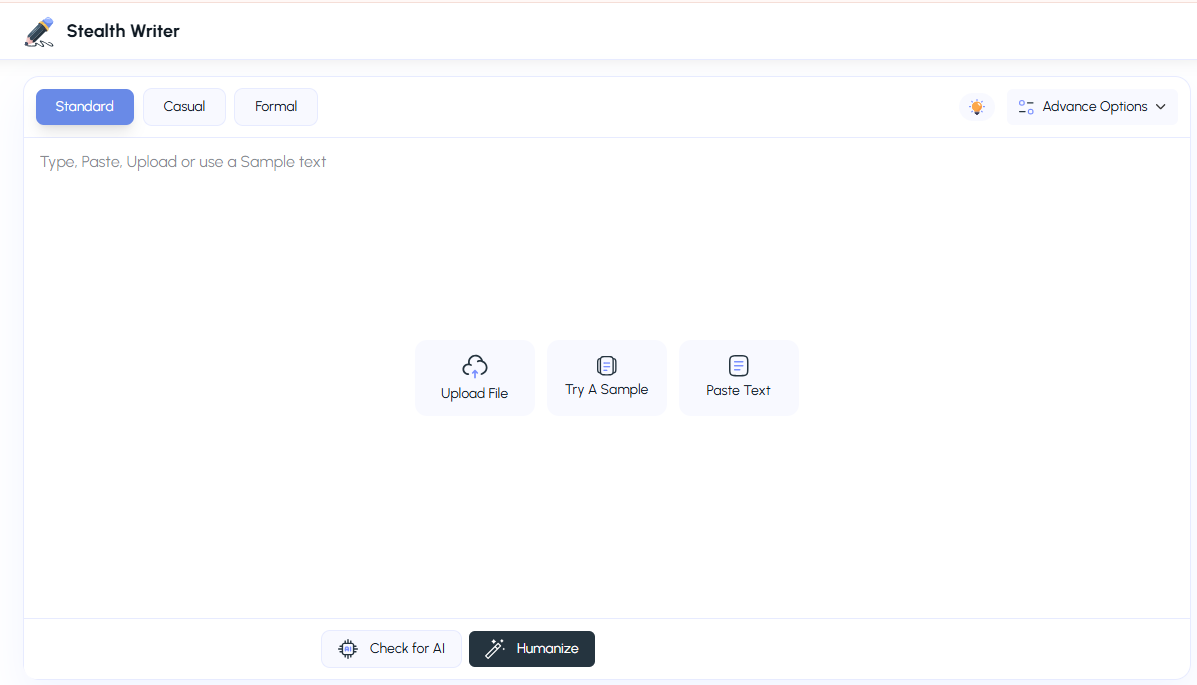
The readability of rephrased content is higher. The tool rephrases the whole sentence and structure into a more casual and naturally flowing tone. Our stealth writer lets you select three types of tones.
Casual: It makes content sound natural and a real human-like conversation
Standard: It turns sentences into a more readable, clear and natural tone of content
Formal: In this mode, the sentence turns into a professional and well-structured sentence
Content generated by AI contains certain predictable patterns and word choices. The tone is more academic and consistent.
The stealth writer adjusts tone and reframes sentences. It also keeps the context of the sentence the same for humanized text output.
Steps to use Stealth Writer
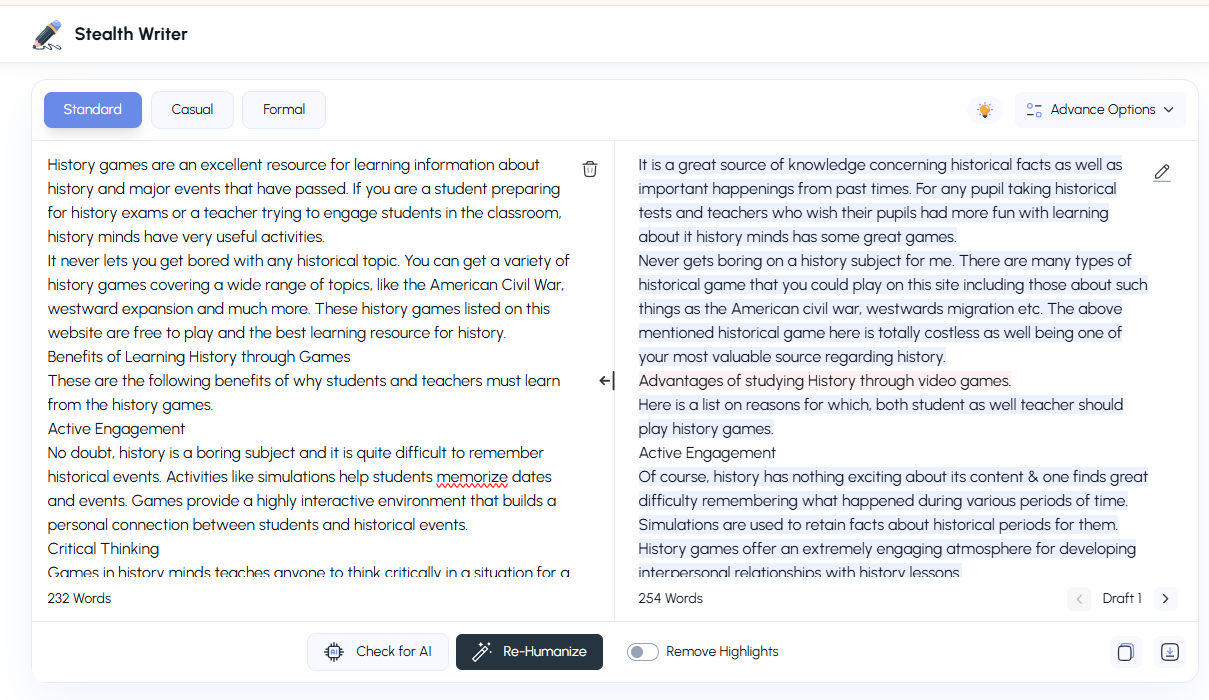
To use the stealth writer, visit stealthwriter.io.
Copy the text you want to humanize and paste it into the opening box. Another option is to upload files from the desktop. It will automatically add text from the file.
By default, the standard tone is selected; you can change it according to your needs.
Click on the Re-humanize button.
Advance Options
The stealth writer provides various advanced options for more precise humanization of the text.
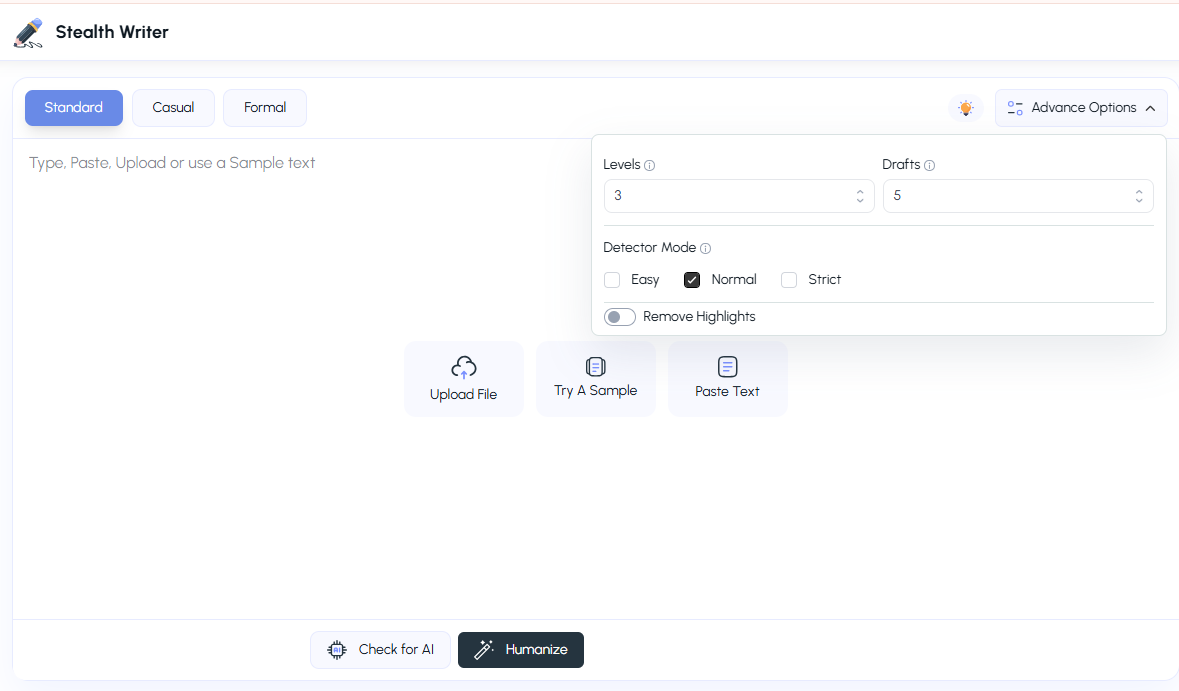
Level:
This is the humanizing level, up to which context the provided text needs to be changed. By Default, it is level 3, but if it is still AI detected by tools.
You must change it to level 5. With level 3, you get the best readability, but it may not bypass online AI detection tools.
Drafts:
Against each sentence, you get 5 options as alternative drafts. You have various possibilities to choose from. If you want more alternative options to choose from, select a draft with a higher number.
Best Ways to Humanize Content with Stealth Writer
The stealth writer is capable enough to humanize content effectively. The obtained sentences are fully humanized. Side by side, it provides feedback for improved writing.
Select the Right Tone
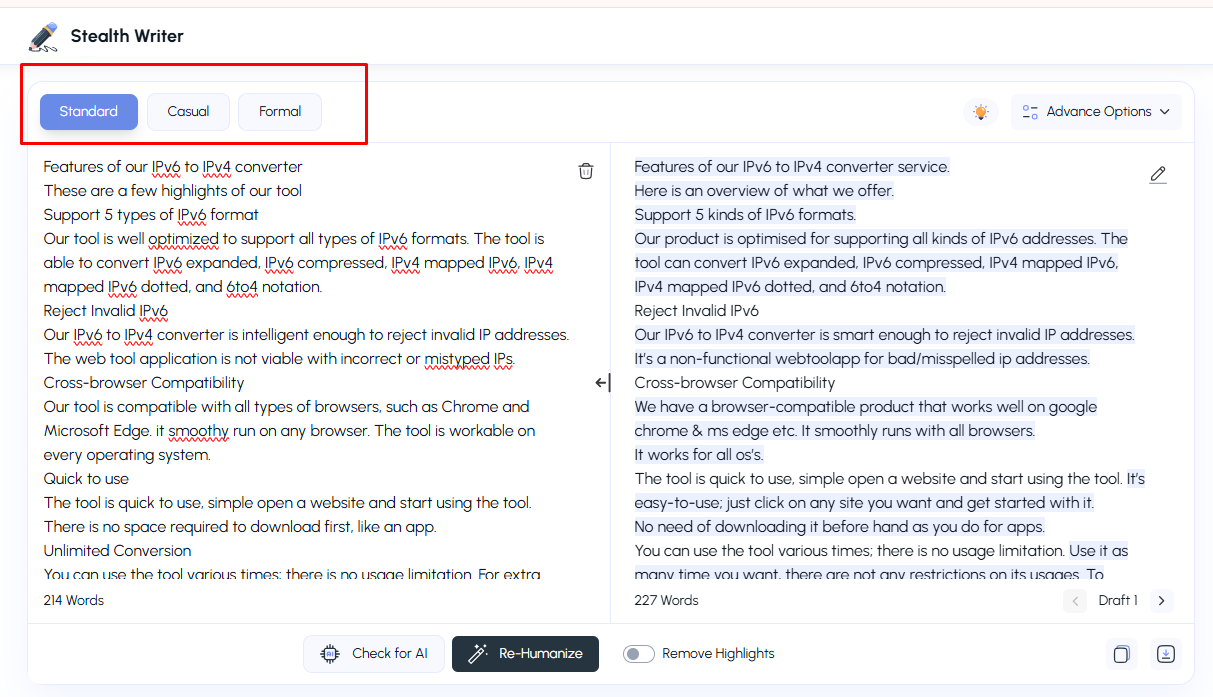
Before humanizing the content, select the tone of the conversion text. Each piece of content is written for a particular reason. For simple blogs, a casual tone is preferred.
For academics, the standard would go fine. For marketing copy, a formal tone works best.
All content must sound natural. The stealth writer ensures it passes all AI detection tools so that your content looks authentic and trustworthy.
Choose the Right Setting before Humanizing
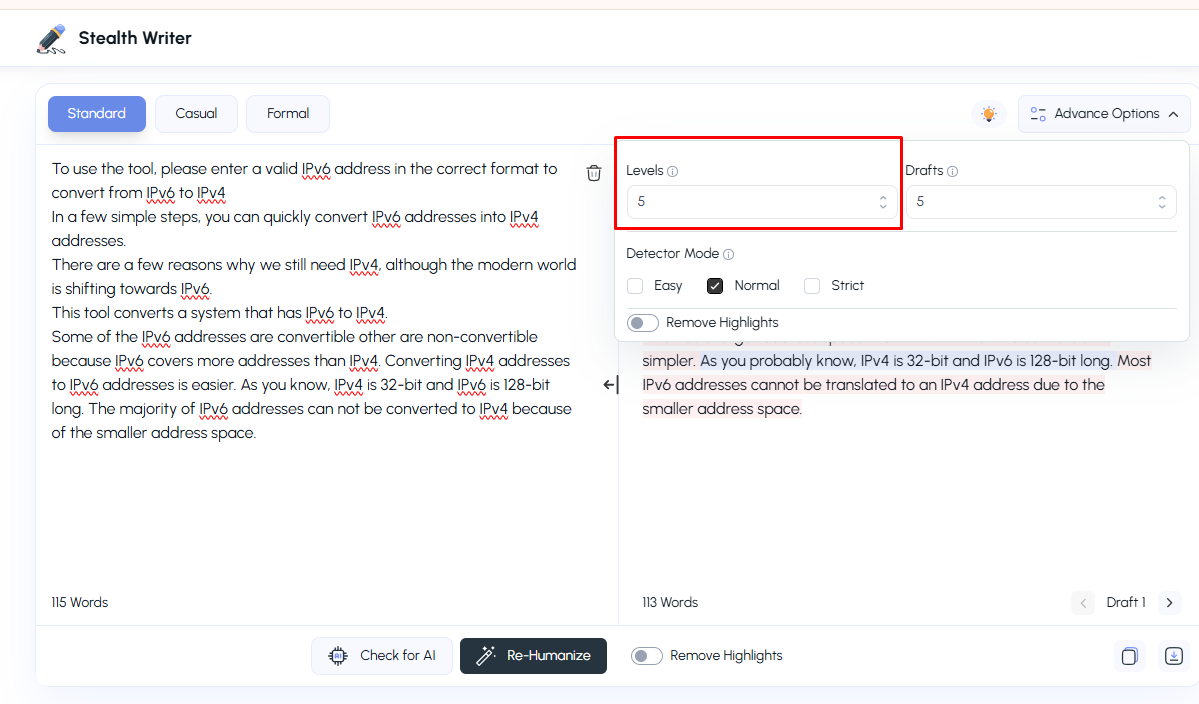
Once you write text, check for the AI percentage. Use our stealth writer for humanizing those sentences containing maximum AI words and patterns. It provides 1-5 levels of humanization. The algorithm behind it produces an output accordingly.
For totally manually written text, level 3 would be enough; for totally AI-generated text, level 5 works best.
Best practice is to rewrite at level 3 first. Suppose the output is still rigid and artificial words. Raise the level to 5 and rehumanize the text.
Now, click on the humanize button. Still, you may get AI text. The colour code defines feedback.
Light blue means it is human-readable, and Red means AI-detected words.
Click on rehumanize to see more options.
Keep changing the words until you get no or a single-digit AI percentage
This colourful real-time feedback gives instant results to change the text before publishing. There is no need to put the text again in the AI checking tool to see if your text is undetectable. You get the result in the same tool.
Have More Choices
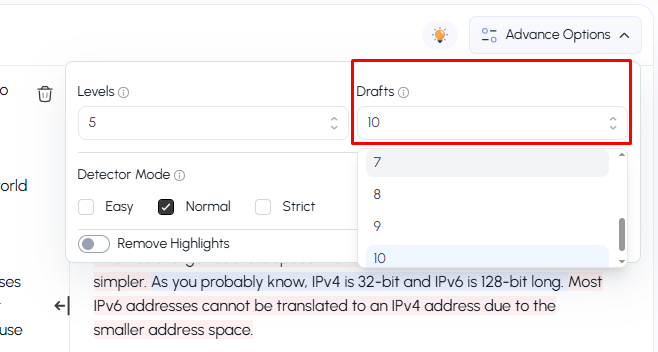
With Stealth Writer, you can get various sentence alternative options. In the draft section, select the number 7 to 10. It will give more options. You can select whatever goes well with your context.
Our Stealth Writer also provides an option called re-humanize, from which you can get more alternative options for a single sentence.
To do this, simply click on any sentence, and a pop-up will appear. Click on the re humanize button to get more humanized versions of the same sentence.
Manual Edit at Output
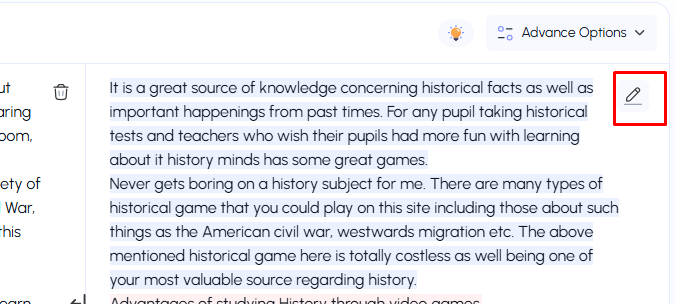
If you don't like the content provided by the stealth writer, you must edit the words right there. In the output section, go to the edit option.
Click on the edit mode of output. Make changes right there.
Recheck AI with Stealth Writer
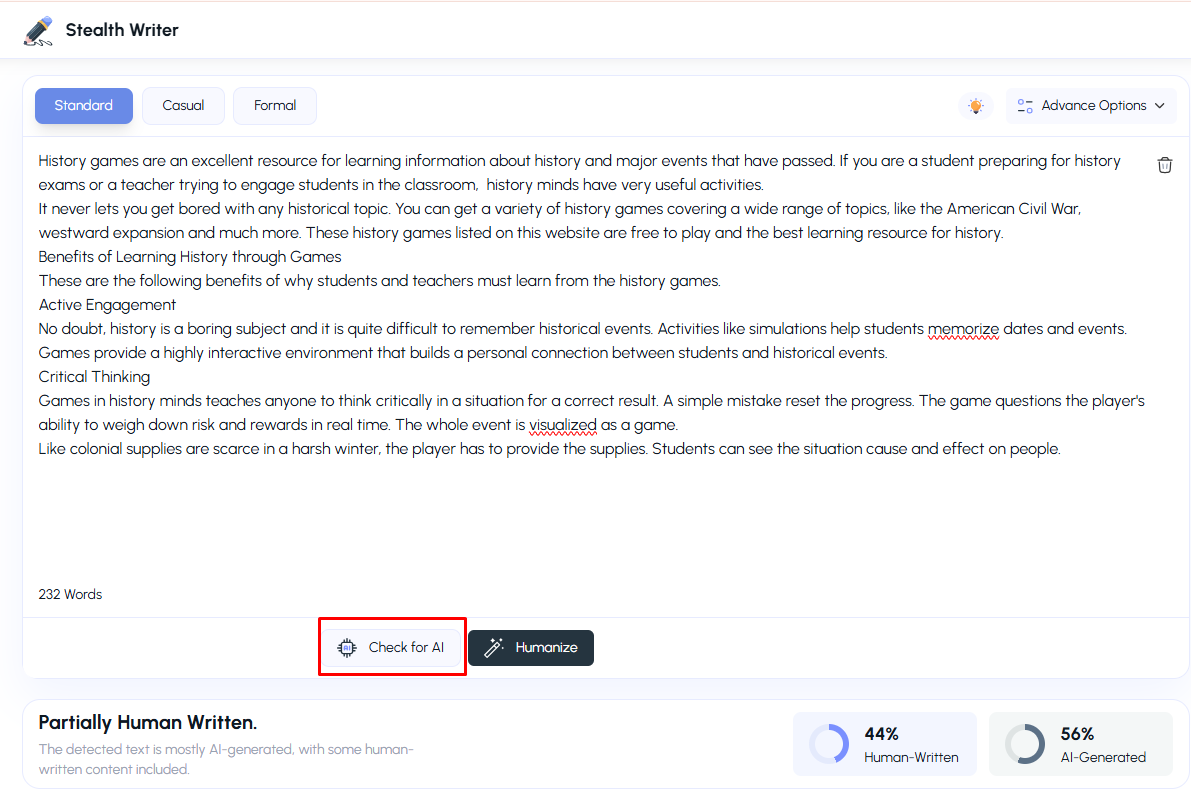
Along with humanizing the text, stealthwriter introduced it's AI detector that can be used for checking AI detection. Copy-paste the humanized text and click on the Check AI button.
You don't have to separately open other websites to cross-check your text. How much AI is in your content? Two functions in the same tool.
Common Issues using the StealthWriter
If you have selected a humanizing level 5 for converting the text, the tool gives sentences structure and expression in different ways.
At level 5, the Large Language Model (LLM) makes great changes, and some grammar issues arise.
The best way to solve this issue is to humanize the text at a lower level, then manually edit it where you think it needs changes.
Don’t just copy paste the humanized content. First, proofread it and focus your adjustments. Manually rewrite in a few lines to reduce the detection score.
Conclusion
Stealth Writer is a very helpful tool if used properly. It is more than just copy-paste text and rehumanize. For better output results from stealth writers, set the right level of humanizer and proofread before publishing the text.
Usually, level 3 is used, which produces grammatically correct sentences but may include a few AI-generated sentences. These will still pass the AI detector test.
Whether the content is handwritten or AI-generated, the tool will humanize both. You can build connections with readers and convey your message effectively.